Free tool · VST3 and standalone app for Windows · macOS coming soon
MG9 Plugin Lab free plugin analyzer
Load any VST3 plugin and see what it really does to the sound: frequency and phase response, every harmonic, distortion, dynamics, decay, aliasing and intermodulation. The curves follow its knobs as you turn them, next to a second plugin or a reference.
Download VST3 · Windows Download app · Windows All free plugins
What it measures
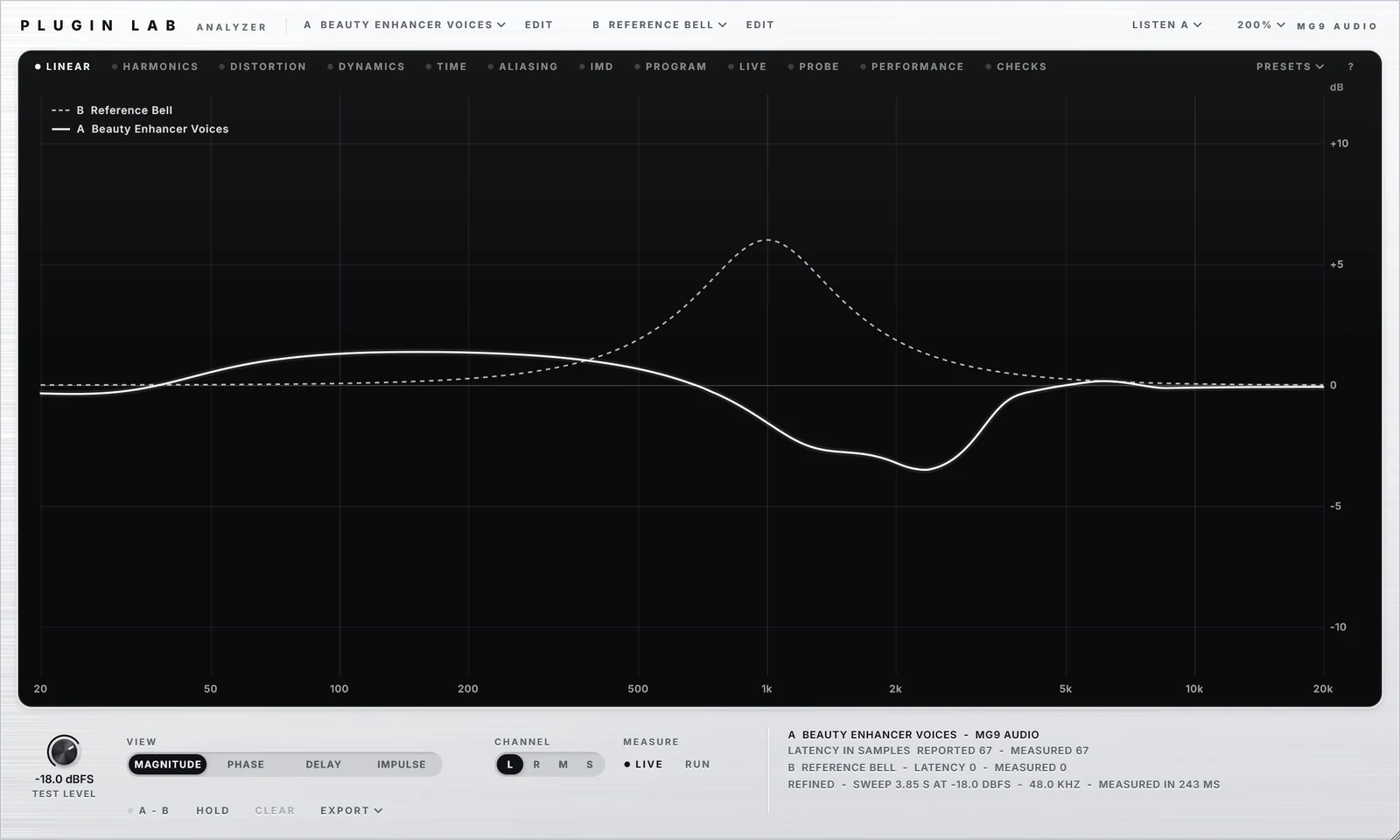
Frequency response
Magnitude, phase, group delay and impulse response, with the latency the plugin reports next to the latency measured.
Harmonics
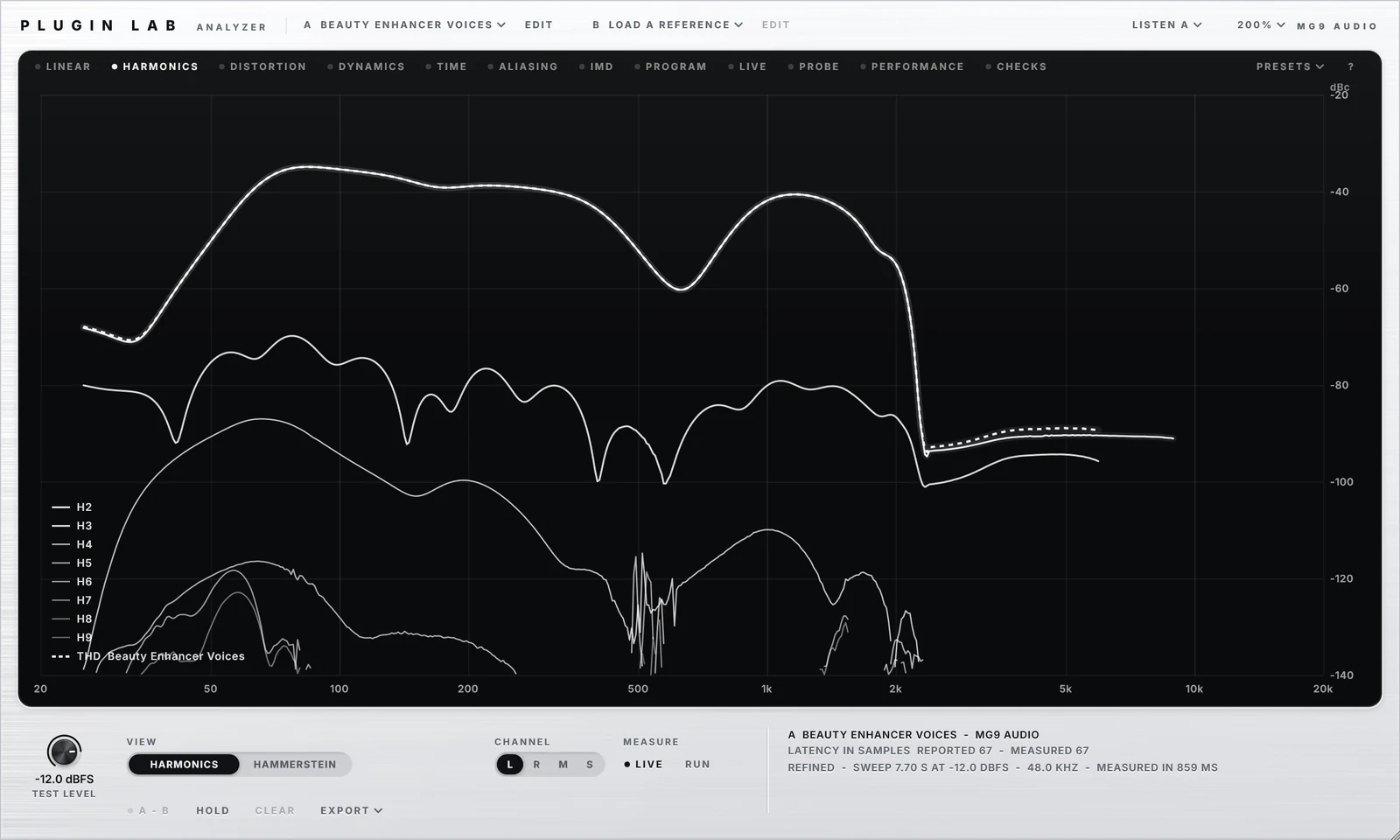
Each harmonic from H2 to H9 and the THD against the frequency played, and the Hammerstein model of the plugin.
Distortion
The spectrum of a sine with THD, THD+N, spurious lines and noise floor; THD against level and frequency; the response at several levels.
Dynamics
The static curve with its threshold, ratio and knee; attack and release times; a scope and the transfer curve.
Decay and noise
RT60, EDT and the length of the tail, and what comes out when nothing goes in.
Aliasing and intermodulation
A spectrogram of a sweep up to Nyquist with the worst line that is not a harmonic; SMPTE, CCIF and DFD two-tone tests and a multitone.
Beyond the curves
Live curves
The plugin is measured again while you turn its knobs, so the curves follow every move.
A against B
A plugin in A, a second plugin or a built-in reference in B, the difference A − B with levels aligned, and curves you can hold to compare settings.
In your session
The LIVE tab shows what really goes through the plugin in your song: spectra, its curve measured on the music, loudness, gain and stereo image.
Probe
Measure what the Lab cannot load: your DAW's own effects, plugins in other formats, or outboard hardware through your audio interface in the standalone app.
Checks and CPU
Processing load against block size and sample rate, and a battery of checks: determinism, block size, state, offline rendering, latency, NaN, denormals and clicks.
Program and reports
An audio file through A and B with a null test, curves exported as PNG or CSV, and a full HTML report of every measurement.
Every harmonic, at every frequency
The HARMONICS tab draws the level of each harmonic, H2 to H9, under the fundamental for a sine swept across the spectrum, with the THD dashed. Even and odd harmonics show at a glance: how a saturation, a console or an analog emulation colors the sound, and where.
Getting started
Insert Plugin Lab on a track of your DAW, or open the standalone app.
Click A and choose the plugin to measure from the list of your VST3 plugins.
Pick a tab: LINEAR, HARMONICS, DISTORTION and the others. Open the plugin's window with EDIT and turn its knobs: the curves follow.
Specifications
- Formats
- VST3 plugin and standalone app for Windows (64-bit). The macOS version is coming soon.
- What it measures
- VST3 plugins, loaded directly. Anything else (the effects of your DAW, other formats, outboard hardware) through the probe.
- Version
- 0.3.1, released on November 21, 2026.
- Manual
- PDF in English, included in both downloads.
- Download
- Direct, no account. SHA-256 of the VST3 zip: F83E98CF7CEB18A480E9BE572FAD6D9A907CDDB978A1504B35550E86374CECC6; of the app zip: 3726D7BD7E29E403A9282D62D121F98AF77B3E8838F514027063B3937EE229DD.
- Price
- Free. No trial, no feature lock.
Questions
- Is MG9 Plugin Lab free?
- Yes. The VST3 plugin and the standalone app are both free to download, with no trial and no feature lock.
- Which plugins can it measure?
- Any VST3 plugin on Windows. With the probe, it also measures what it cannot load: the effects of your DAW, plugins in other formats and outboard hardware.
- Can it measure analog hardware?
- Yes. In the standalone app, the LOOP mode of the probe plays a test sequence through your audio interface, into the hardware and back. The latency is found to the sample, and a clock that drifts is measured and corrected.
- How do I compare two plugins?
- Load one in A and the other in B. Their curves are drawn together, and A − B shows the difference with the levels aligned.
- Does it change the sound of my track?
- No. Your audio goes through the plugin loaded in A, and the measurements run on a separate copy of it. LISTEN lets you hear A, B or the dry signal.
Free, and made to be used.
MG9 Plugin Lab is the bench MG9 Audio measures its own plugins with. Download it free for Windows, as a VST3 plugin or a standalone app.
Download VST3 · Windows Download app · Windows All free plugins