Free plugin · VST3 for Windows · macOS coming soon
MGEQ free 24-band EQ
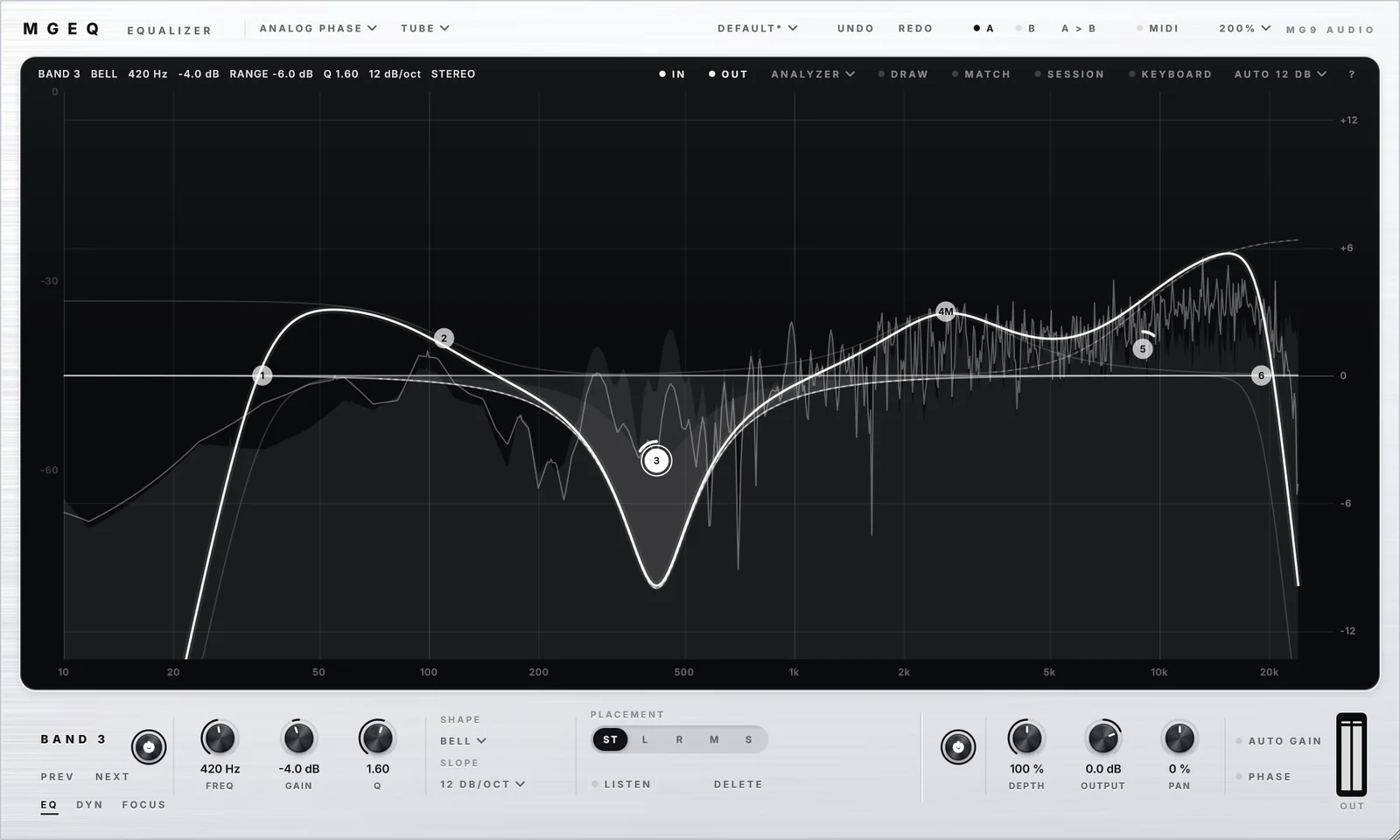
An equalizer for mixing and mastering that shows exactly what you hear: the spectrum before and after, the curve of each band and the final curve, on one black glass display.
Download MGEQ free All free plugins
What it does
24 bands, ten shapes
Bell, shelves, low and high cuts from 1 to 96 dB/oct or brick wall, notch, band pass, tilt and all pass.
Three processing modes
Zero Latency to record and mix with no latency, Analog Phase for the curve and the phase of an analog equalizer right up to 20 kHz, and Linear Phase in five resolutions when the phase must not move at all.
Every band where you want it
Stereo, left, right, mid or side, and in surround up to 9.1.6, on the speakers you choose.
Dynamics on every band
A band cuts or boosts only when the level crosses its threshold, listening to its own region, a custom range or the side chain.
Focus
Each frequency of the band reacts on its own, and only what sticks out moves. Ideal for resonances and sibilance.
Character
Clean, Satin or Tube, applied to the tonal part only.
What saves you time
Peak Pick
Rest the mouse on the spectrum for a second and its peaks appear. Drag one and a bell lands right on it.
Curve Draw
Draw the curve you want and MGEQ places the bands.
Tone Match
Bring your track closer to a reference: another track, the side chain or an audio file.
Session Map
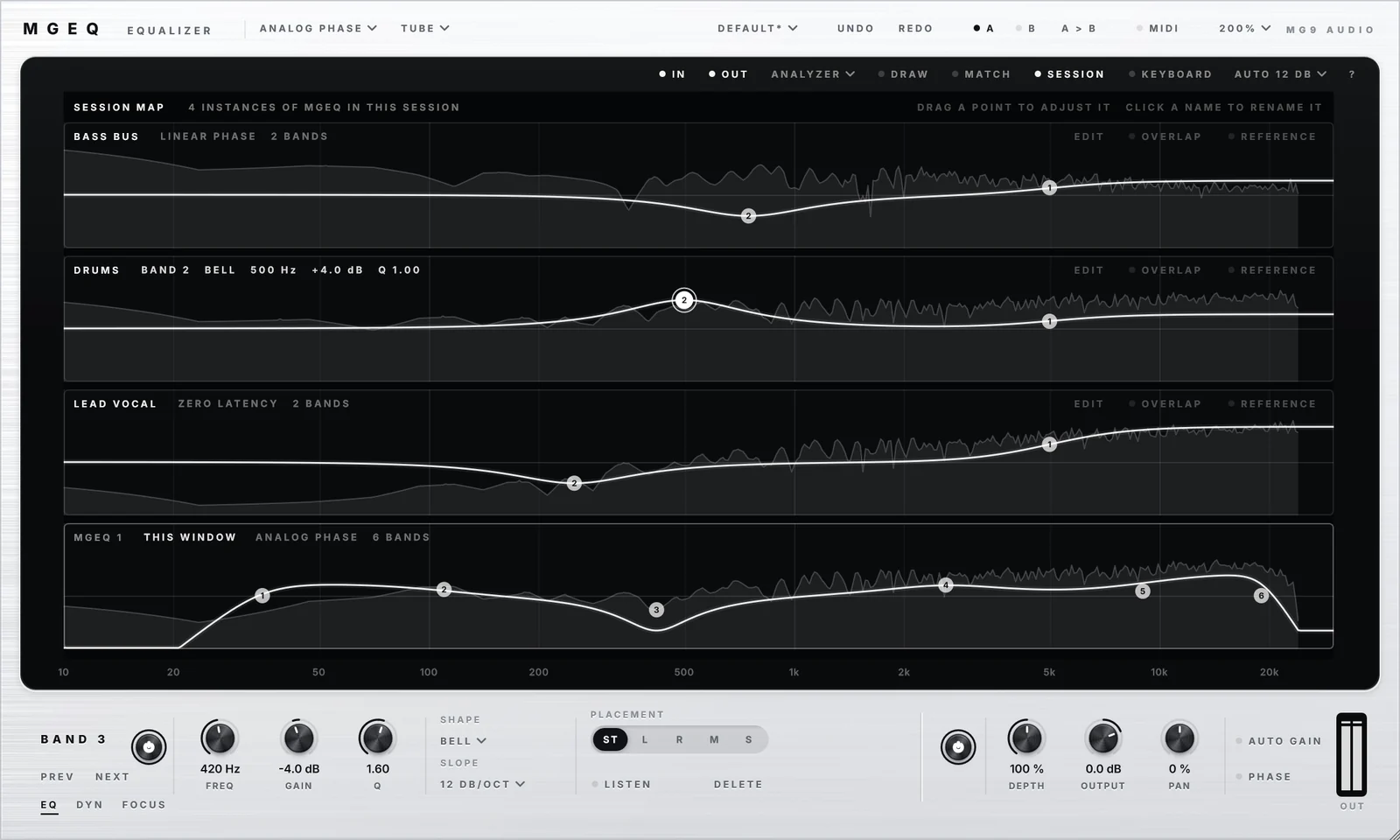
Every MGEQ of your session on one screen, each with its live spectrum, its curve and its points, adjustable right there.
Overlap
See where two tracks fight for the same frequencies.
Comfort
Presets, A/B, 64 undo levels, MIDI Learn, wheel and keyboard shortcuts, sizes from 70 to 200 % and Full Screen.
Your whole session on one screen
Session Map stacks every MGEQ of the session, each with its live output spectrum, its curve and its points. Adjust any of them right there, and turn on Overlap to see where two tracks compete for the same frequencies.
Getting started
Insert MGEQ on a track, a bus or your master, and press play.
Double-click on the display to add a band, drag its point, and turn the mouse wheel on it to change its width (Ctrl + wheel changes its gain).
The "?" at the top right of the display lists every gesture. The manual covers everything else.
Specifications
- Formats
- VST3 plugin and standalone app for Windows (64-bit). The macOS version, Audio Unit and VST3, is coming soon.
- Hosts
- Any VST3 host on Windows, such as Ableton Live, FL Studio, Cubase, Studio One, Reaper or Bitwig Studio.
- Version
- 1.0.0, released on November 15, 2026.
- Manual
- PDF in English, included in the download.
- Price and license
- Free. Commercial use allowed.
Free, and made to be used.
MGEQ is available on the MG9 Audio Patreon with a free membership. No trial, no feature lock.