Free plugin · VST3 & AU · Windows and macOS
Core-X Vega mix bus & mastering
Core-X Vega sits on your master bus while you mix. It gives the mix the density, glue and loudness of a finished record, at competitive levels and in any genre, without pumping. Its meters show how the mix will hold up on phones, laptops, in clubs and on streaming services.
Download Core-X Vega free All free plugins
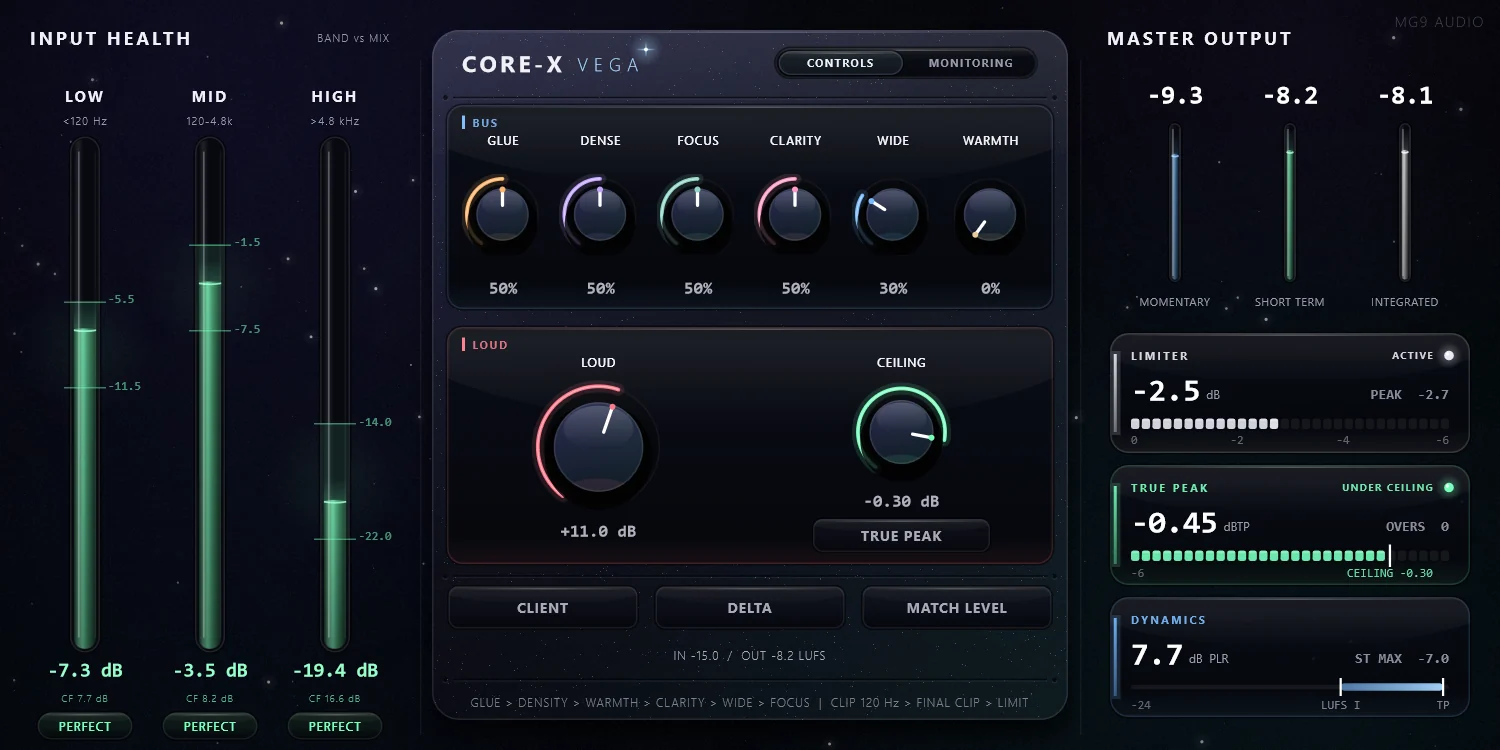
BUS: the sound
GLUE
The bus glue, a slow compression that holds the mix together. Its threshold follows the level of the song and its release follows the programme, so the mix does not pump.
DENSE
True parallel compression: it lifts detail, tails and quiet passages, never the peaks.
FOCUS
Brings the bass to mono progressively below 120 Hz and adds the harmonics a bass is missing, so phones and laptops play it at the right pitch.
CLARITY
Presence and air, with three safety nets that only act on faults: low-mid build-up, harshness and sibilance.
WIDE
Opens the image through the side channel only, so the mono sum stays untouched.
WARMTH
Warmth as studios mean it: weight in the low end and softer highs.
LOUD: the loudness
LOUD
A drive into an oversampled clipper split at 120 Hz, then a true-peak limiter that only takes the last 1 to 3 dB.
CEILING
The maximum output level, from −2 to 0 dB. In TRUE PEAK mode, inter-sample peaks stay under it at any loudness.
CLIENT and PRE-MASTER
CLIENT runs the full chain for a loud master. PRE-MASTER bypasses LOUD when you deliver to a mastering engineer.
DELTA and MATCH LEVEL
DELTA lets you hear what LOUD removes. MATCH LEVEL brings the output back to the input loudness, so you judge the processing rather than the volume.
Meters
Input Health
Reads the balance of the low, mid and high bands against the mix's own loudness, with zones calibrated on the average spectrum of 12,345 commercial releases.
MONITORING
Momentary, short-term and integrated loudness, the limiter, true peak and dynamics, plus the clipping of LOUD over the last 6 seconds.
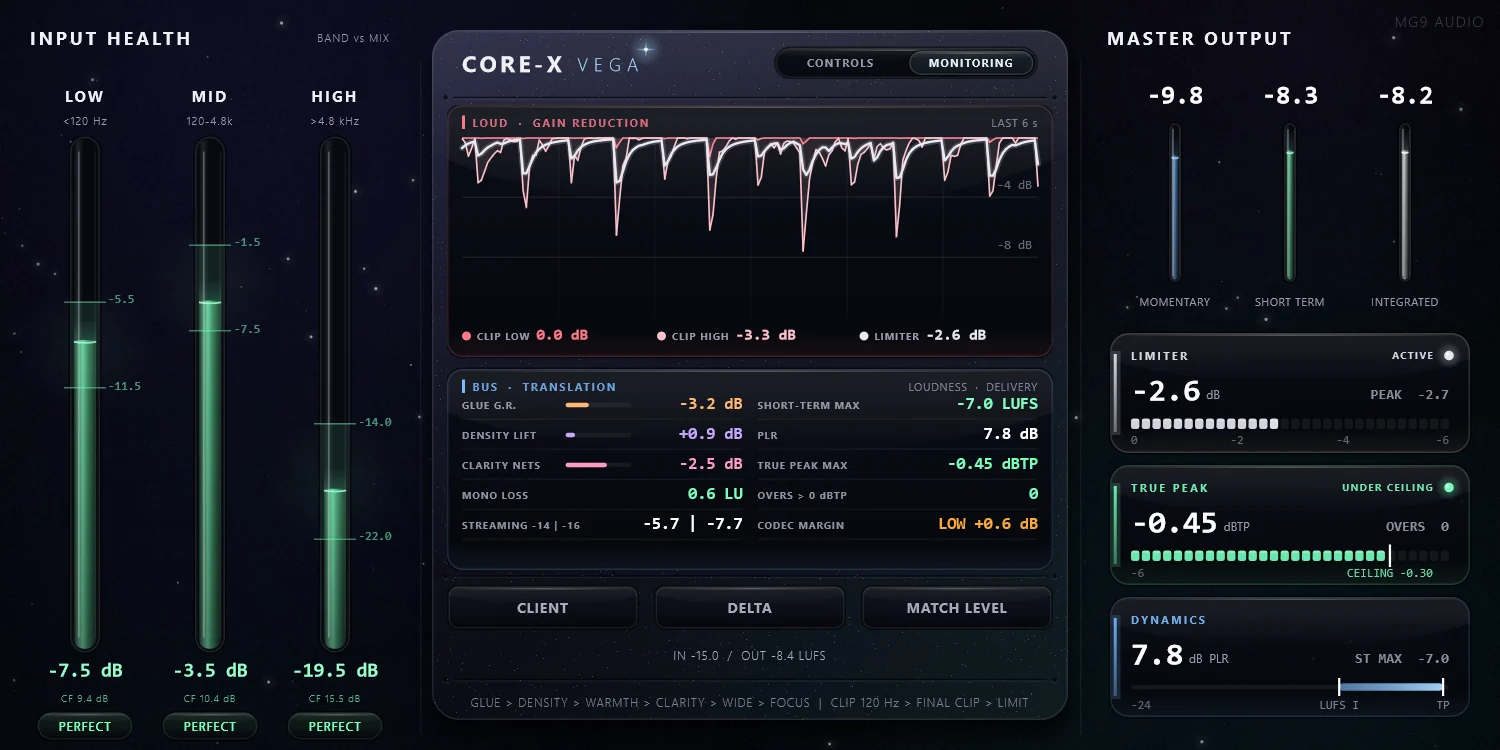
See how the mix will hold up
The MONITORING view gathers every measurement in one place: loudness, limiter, true peak, dynamics and the clipping of LOUD over the last 6 seconds.
Getting started
Insert Core-X Vega on your master bus and mix into it.
Shape the sound with the six BUS knobs, then set the loudness with LOUD and the CEILING.
Compare with MATCH LEVEL on. Before you export, switch it off and choose CLIENT for a loud master or PRE-MASTER for a mastering engineer.
Specifications
- Formats
- Windows 10 and 11 (64-bit): VST3 plugin and standalone app. macOS: Audio Unit and VST3, universal binary for Apple Silicon (macOS 11 or later) and Intel (macOS 10.13 or later).
- CPU and latency
- About 9 to 10 % of one core at 48 kHz. Latency of 4.8 ms at 48 kHz, compensated by your DAW.
- Version
- 2.0.1
- Manual
- PDF in English, included in both downloads.
- Price and license
- Free. Commercial use allowed.
Free, and made to be used.
Core-X Vega is available on the MG9 Audio Patreon with a free membership. It is the tool MG9 uses on its own mixes.